Mirror: LED Makeup & Beauty
- 3.7
- Rating
- 10.00K
- Installs
- Free
- Price

 Analysis by App-foxy
I often find that the simplest beauty tool is the one I reach for most. Mirror: LED Makeup & Beauty takes that idea and turns an Android phone into a practical face mirror, with a camera view, zoom, full-screen display, and LED lighting. I reviewed it as a small everyday utility rather than as a full makeup suite, and that distinction matters: its value comes from making your phone easier to use in awkward lighting, not from adding tutorials, filters, or a large collection of beauty controls.
Developed by Applab Studios, this free beauty app is aimed at people who want a portable mirror for makeup, shaving, quick grooming, or checking details before leaving home. It is available to an Everyone audience, runs on Android 7.0 or newer, and has reached over ten thousand installs. Its average rating is 3.7, based on around a hundred ratings, which suggests a useful but not universally smooth experience. I can understand that middle-ground reaction: the concept is convenient, while the final experience depends heavily on the phone’s camera, screen, lighting, and available resources.
How the mirror feels in everyday use
I find this mirror most useful when I treat it as a quick viewing aid rather than a replacement for every mirror in my routine. It can help me see a detail I might otherwise miss, but I still need to decide when the phone’s light and camera view are the right tools for the job. That distinction also leads to a closer look at the choices a user can make while using it.
You May Also Like

 Pandora - Music & Podcasts
Pandora’s Music Is Easy to Start, but Harder to Recover
Pandora’s strength is its low-effort path from a seed to a station. Its weak spot is how much confidence it asks you to place in connection, setup, and quiet recovery.

 AccuWeather: Weather Radar
AccuWeather Review: A Quick, Clear Forecast for Everyday Decisions
For everyday plans, the best forecast is the one you can understand quickly. AccuWeather makes rain timing, radar, and local conditions easy to act on, with a few trade-offs.

 Hill Climb Racing
Why Hill Climb Racing Still Turns Crashes Into One More Run
A tiny car, a bumpy hill and one more upgrade: Hill Climb Racing keeps resurfacing because its simple chaos makes every near-miss feel personal.

 AliExpress - Shopping App
AliExpress Makes Global Shopping Feel Personal, but Shoppers Bear the Risk
AliExpress turns a global marketplace into a pocket-sized discovery engine. Its reach is useful, its shopping loop compelling, and its trade-offs easy to miss.

 Lords Mobile: Kingdom Wars
Lords Mobile Is a Kingdom-Building Routine, Not a Quick Match
A case-by-case verdict on the building, battles, device demands, and social commitments that make Lords Mobile rewarding for some players and exhausting for others.

 PDF Scanner app - TapScanner
TapScanner Makes Paperwork Easier to Capture, Check, and Share
TapScanner makes scanning with a phone feel less like a rescue operation and more like a dependable step in getting work done. Its capture tools are useful, though not flawless.
More From Our News Desk
View All News


Opening it when speed matters
The main appeal is immediacy. When I want to check eyeliner, tidy facial hair, or see whether a small mark is visible before going out, opening a dedicated mirror app is more direct than launching a general camera and adjusting it manually. The interface is built around the live camera view, so the app makes sense almost immediately even if you have never used it before.
That simplicity also shapes my expectations about speed. This is not an app that needs to load a feed, synchronize an account, or prepare a large editing workspace. The perceived startup experience should mainly depend on how quickly the phone can activate its camera and display the preview. On a reasonably modern Android device, that makes it feel like a focused tool rather than a heavy beauty platform. On an older phone, the camera itself is likely to be the part that determines how promptly the image appears.
I would still avoid judging responsiveness only by the first tap. A mirror app has to remain useful while you move the phone close to your face, change the angle, adjust the light, and zoom into a small area. A preview that opens quickly but becomes awkward to control would not help much. In my experience with this kind of utility, the best workflow is to hold the phone steady, set the brightness before starting detailed work, and use zoom sparingly rather than constantly switching between levels.
Using the LED light without making the image misleading
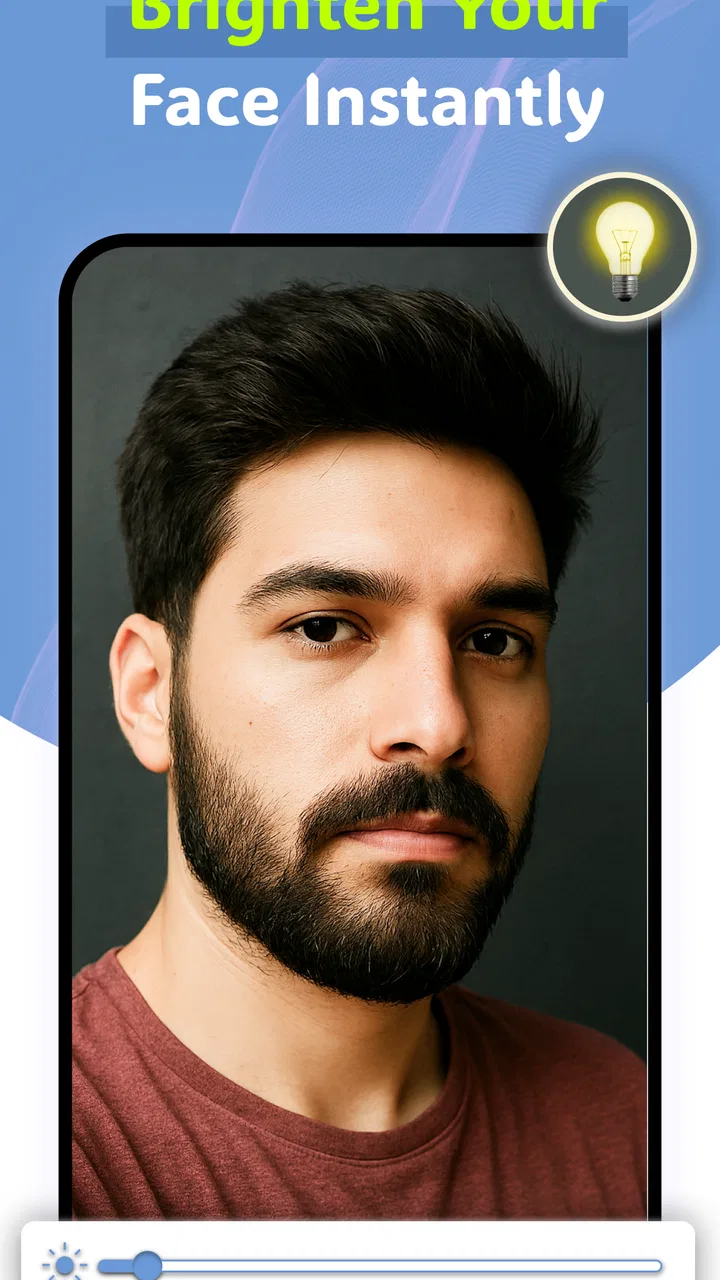
The LED function is the feature that separates this app from simply opening the ordinary camera. It is especially helpful in dim rooms, hotel bathrooms, stairwells, or near a front door where the available light is uneven. A brighter screen or light source can reveal details that disappear in shadow, making it easier to check a beard line or blend makeup around the eyes.
There is an important trade-off, though. Extra light can make the face look clearer while also changing how colors appear. I would use the LED view for precision and visibility, then check the result once more under the lighting where I will actually spend the day. This is a useful habit for foundation, concealer, and lipstick: a mirror that helps you see every detail is not automatically a perfect guide to how the color will look outdoors or under warm indoor bulbs.
For shaving, the light is more straightforwardly useful. Shadows around the jaw and upper lip can hide stray hairs, and a bright close view makes those areas easier to inspect. I would not treat the app as a replacement for good bathroom lighting, but it gives me a second angle when the room itself is poorly arranged.
Why zoom and full screen are more useful than they sound
Zoom is not just a cosmetic extra here. It changes the app from a basic reflection substitute into a detail-checking tool. I can use a closer view for an eyebrow edge, a small blemish, a contact-lens check, or the corners of the mouth without bringing the phone so close that my hand blocks the light. That is a more practical use than zooming in simply to inspect the whole face.
The trade-off is that magnification also makes movement more noticeable. Small hand movements can make the image harder to follow, particularly when the phone is held at arm’s length. I get better results by resting an elbow on a table or counter and moving my head slightly instead of repeatedly moving the phone. This is one of the app’s less obvious strengths: it works best when treated as a stable inspection surface, not as a camera that should be waved around.
Full-screen viewing is equally helpful in cramped situations. Removing distractions around the preview gives the face more of the display and makes it easier to judge small details. It can also make the phone feel more like a handheld mirror, especially when the device has a bright, reasonably large screen. I would not expect full screen to improve the camera’s actual image quality, but it does improve how much of the display is devoted to the task.
What happens during heavier use
A quick check takes very little effort, but longer sessions place different demands on the device. If I am doing a complete makeup routine, repeatedly changing zoom, using the light, and holding the camera preview open for several minutes, the phone has more work to do than during a brief glance. The app itself is focused, yet live camera use is naturally more demanding than reading a page or checking a message.
That is where device differences become noticeable. A newer phone with a responsive camera and a bright display should make the experience feel comfortable. An older or entry-level handset may take longer to become ready, show less fluid preview movement, or make the screen harder to see in a bright room. Those limitations would not necessarily mean the app is faulty; they are part of using a live camera utility on hardware with different capabilities.
I also recommend avoiding unnecessary multitasking while using it. Keeping several demanding apps open can make any camera-based tool feel less responsive, and switching away may interrupt the most useful part of the session. For a short grooming check, this is rarely a serious issue. For a longer routine, closing unused apps first is a sensible preparation step and costs almost no time.
Stability and recovering from interruptions
Reliability matters more in a mirror app than it first appears. If I am halfway through shaping an eyebrow or checking a shave, an interruption is inconvenient because I have to recreate the same angle and lighting. The useful question is not only whether the app opens, but whether it recovers gracefully after a call, a notification, a temporary camera conflict, or a trip to another app.
My practical advice is to treat the app as a short-session tool. Open it when you are ready to use the mirror, keep the phone in a stable position, and avoid switching tasks unless necessary. That workflow reduces the number of opportunities for the camera preview to be interrupted. If the view does stop responding, closing and reopening the app is the most sensible first recovery step, followed by checking whether another app is already using the camera.
I appreciate that the app’s focused design leaves fewer layers between the user and the mirror. There is no need to navigate through a social feed or editing dashboard before reaching the live view. At the same time, the simplicity means there is less of a broader workflow to fall back on if the camera preview is inconvenient. People who want to capture, retouch, organize, and compare beauty images may find a general camera or dedicated beauty editor more flexible.
Device constraints you should consider
The minimum requirement is Android 7.0, so compatibility is reasonably broad among older Android phones. Compatibility alone does not guarantee an equally good experience, however. Camera quality, screen brightness, front-camera placement, display size, and battery condition all influence whether the application feels genuinely useful.
The screen is particularly important. A dim display can undermine the LED feature in a bright room, while a small screen gives less room for comfortable full-screen inspection. A phone with a front camera that produces a soft or noisy preview may still work for shaving or checking general placement, but it will be less convincing for tiny makeup details. I would choose the device with the clearest front-facing view, not necessarily the newest phone available.
Battery condition is another practical consideration. A brief mirror check should be easy to fit into a normal day, but a long live-camera session with added light is a less efficient use of a phone than ordinary browsing. If I were preparing for a long event, I would use the app before leaving or keep the phone charged rather than relying on it as a continuous vanity mirror.
There is also a privacy-minded advantage to the narrow purpose, although I would not confuse that with a guarantee about how any app handles information. The app is used as a live viewing tool, so I do not need to create a beauty profile or build a public gallery just to check my face. For someone who dislikes the clutter of social beauty platforms, that directness is appealing.
Everyday situations where it earns its place
The most realistic scenario is a rushed morning in a room with poor lighting. I can open the mirror, switch on the LED view, enlarge the area around the eyes, and check whether mascara or eyeliner has smudged. After that, I would turn the extra light off or step near a window to make sure the overall result still looks natural. The app is valuable because it fills the gap between “I cannot see enough” and “I need a full makeup station.”
It is also handy while traveling. A hotel mirror may be positioned badly, shared accommodation may have limited counter space, and a compact phone is easier to carry than a separate illuminated mirror. In that situation, the app’s full-screen view and zoom are more important than decorative beauty features. I can use the phone at a comfortable angle without needing to pack another item.
For shaving, I would use it as a supplementary view rather than holding the phone directly beside water or foam. The close-up can help with sideburns, the neckline, or areas hidden by bathroom shadows. A stable surface is preferable, since one hand should remain available for the razor or grooming tool. That workflow is safer and more precise than trying to operate the phone continuously while shaving.
It can also help someone who has difficulty seeing small facial details. Zoom and a larger full-screen preview may be more comfortable than leaning toward a fixed mirror. The benefit depends on the phone’s camera and display, but the adjustable viewing distance gives the app a practical accessibility angle that a conventional mirror cannot offer.
Where another option is better
I would skip this app if I wanted tutorials, shade matching, skin analysis, retouching, or a record of different looks. Its job is to provide a live view, not to teach technique or manage a beauty routine. A dedicated makeup application would be more appropriate for step-by-step guidance, while the standard camera may be better for taking photos that I want to save and review later.
A physical LED mirror is also the better choice for extended routines at a vanity. It does not compete for battery, does not require me to hold a phone, and is easier to position beside other products. The app wins on portability and convenience, not on replacing a well-lit stationary setup.
I would also be cautious about using it as the final judge of color. The phone’s camera processing and display can influence the appearance of makeup, and the LED illumination may not resemble daylight. For detailed application, I would use the app to find uneven edges and missed areas, then verify the finished look under the lighting of the destination.
Version, cost, and overall value
The current version is 1.4.1, and the app is free to use. That makes the decision fairly easy for someone who wants to test the idea without buying a separate mirror. The free price is especially relevant for occasional use: if I only need a portable lighted view while traveling or during a quick grooming check, I do not need to justify a larger purchase.
Applab Studios has kept the concept focused enough that I can understand its purpose immediately. The store summary highlights the HD camera, zoom, full-screen view, and LED light, but the real value comes from how those pieces work together. The light helps in shadows, zoom helps with small areas, and full screen makes the preview easier to use as a mirror. None of those tools is revolutionary alone; together, they create a practical emergency replacement for a physical mirror.
The rating of 3.7 is a fair reminder to keep expectations realistic. I see this as a useful utility with clear hardware-dependent limitations, not as a polished beauty platform that will suit every phone and every routine. Its modest install base, above ten thousand, also makes it feel more like a niche helper than an essential Android standard. That is not a criticism by itself, but it reinforces the need to judge it by your particular use case.
My performance verdict
After looking at the way it handles quick checks, longer camera sessions, dim environments, zoomed details, and device limitations, I would recommend Mirror: LED Makeup & Beauty to someone who wants a simple portable mirror with extra visibility. It is most useful when a normal mirror is unavailable, badly lit, too far away, or inconvenient to position. The best results come from steady handling, sensible use of zoom, and checking colors under real-world lighting before committing to a finished look.
I would not install it expecting advanced beauty effects, professional color accuracy, or the comfort of a dedicated vanity mirror. Those are different needs, and another tool would serve them better. For a free app in the beauty category, though, its focused approach is easy to appreciate: it turns a phone into a more adaptable mirror without asking me to learn a complicated interface.
My final view is positive but measured. Mirror: LED Makeup & Beauty is worth trying if your main problem is seeing your face clearly in inconvenient lighting, especially for quick makeup corrections, shaving details, or travel. Its performance will be shaped by the Android device it runs on, and heavy or prolonged use is less practical than a physical mirror. Used for what it actually does, it is a convenient little tool; used as a complete beauty system, it will feel limited.
FAQs for Mirror: LED Makeup & Beauty
01What is Mirror: LED Makeup & Beauty used for?
Mirror: LED Makeup & Beauty turns your phone or tablet into a practical digital mirror for makeup, grooming, skincare, and quick appearance checks. Its LED-style lighting controls are designed to make your reflection easier to see in different conditions, which can be helpful in dim rooms, while traveling, or when a traditional mirror is not available.
02Does Mirror: LED Makeup & Beauty work without an internet connection?
The basic mirror function will generally work without an internet connection because it uses your device’s front-facing camera and screen rather than an online service. However, certain optional features, advertisements, updates, or additional content may require connectivity depending on the version installed and the permissions requested by the app.
03Can I adjust the lighting and appearance of the mirror?
The app is designed to improve visibility by using the screen as an illuminated mirror, and it may provide controls for brightness, lighting style, or other visual adjustments. The exact options can vary by device and app version. Keep in mind that the result depends on your front camera quality, screen brightness, and surrounding light.
04Does the app save or share photos of my face?
A mirror app may need access to the front camera to display your reflection, but camera permission does not automatically mean that images are stored or uploaded. Before using it, review the app’s privacy policy and Android or iOS permission settings. Avoid granting access that is not necessary, and check whether optional photo features are enabled.
05Is Mirror: LED Makeup & Beauty free to download and use?
The app may be available as a free download, although free versions commonly include advertising, optional purchases, or premium tools. Check the current listing in the Google Play Store or Apple App Store for the latest pricing, subscription details, and supported devices. If you only need a simple mirror, confirm that the essential function is available without payment.
Pros
- Bright LED lighting helps reveal makeup details in dim environments.
- Adjustable light settings can support different makeup and skincare routines.
- Simple mirror-style interface is easy to use without a learning curve.
- Useful for quick checks when a physical mirror is unavailable.
- May help improve the accuracy of color matching and makeup application.
Cons
- Camera access is required
- which may concern privacy-conscious users.
- Results depend heavily on the quality and lighting of the device camera.
- Some features or lighting options may require in-app purchases.
- Continuous camera use can drain battery during longer sessions.
- The app cannot replace a true mirror for precise depth and texture perception.

Mirror: LED Makeup & Beauty
Gallery